“If you had a Parenting Assistant for school stuff, what tasks would you delegate?”
“Keeping track of school emails, due dates, and events is overwhelming. I just want one place that puts everything on my calendar with the right reminders.”
Discovery and Foundation
01
User Research with Parents
02
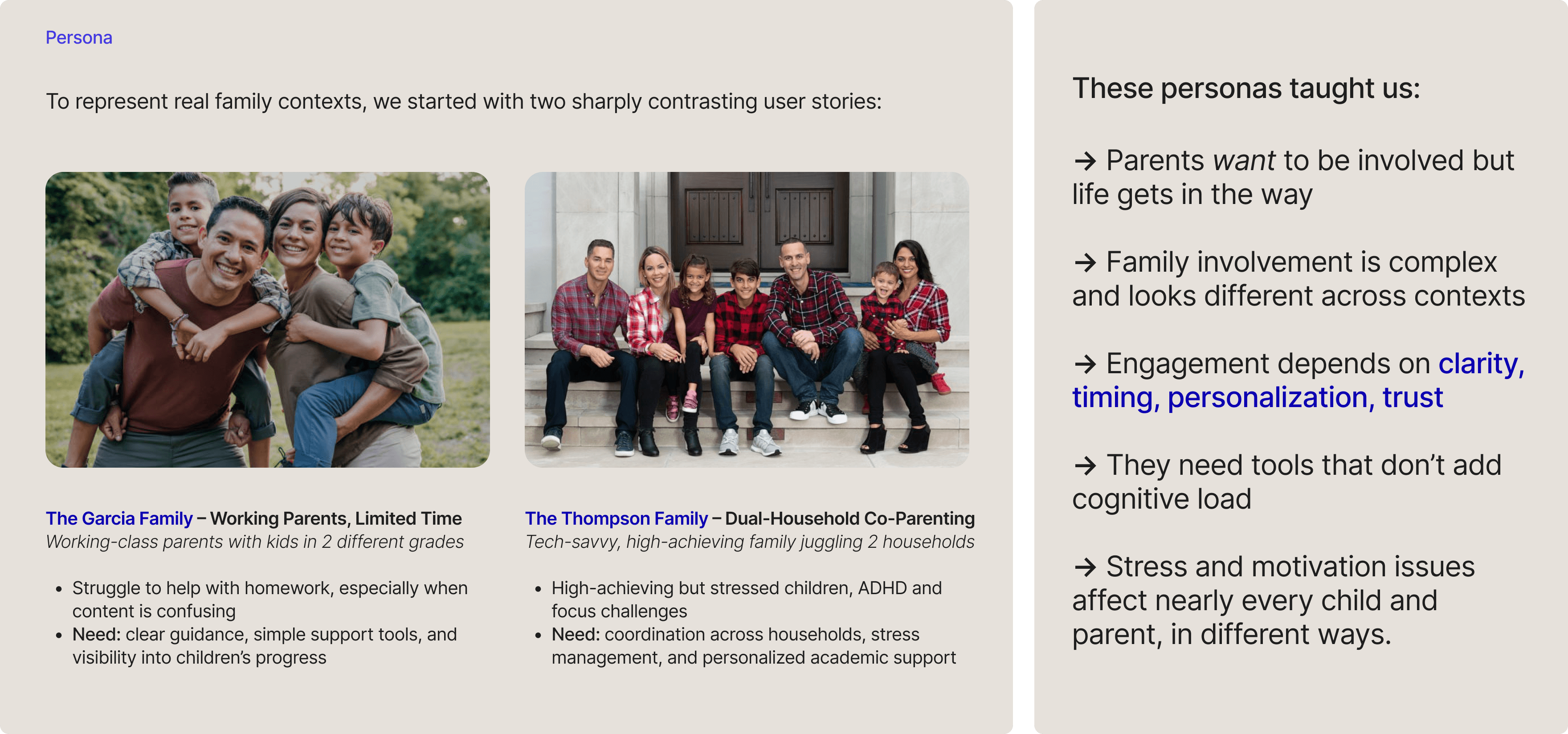
Synthesizing Research: Personas
03
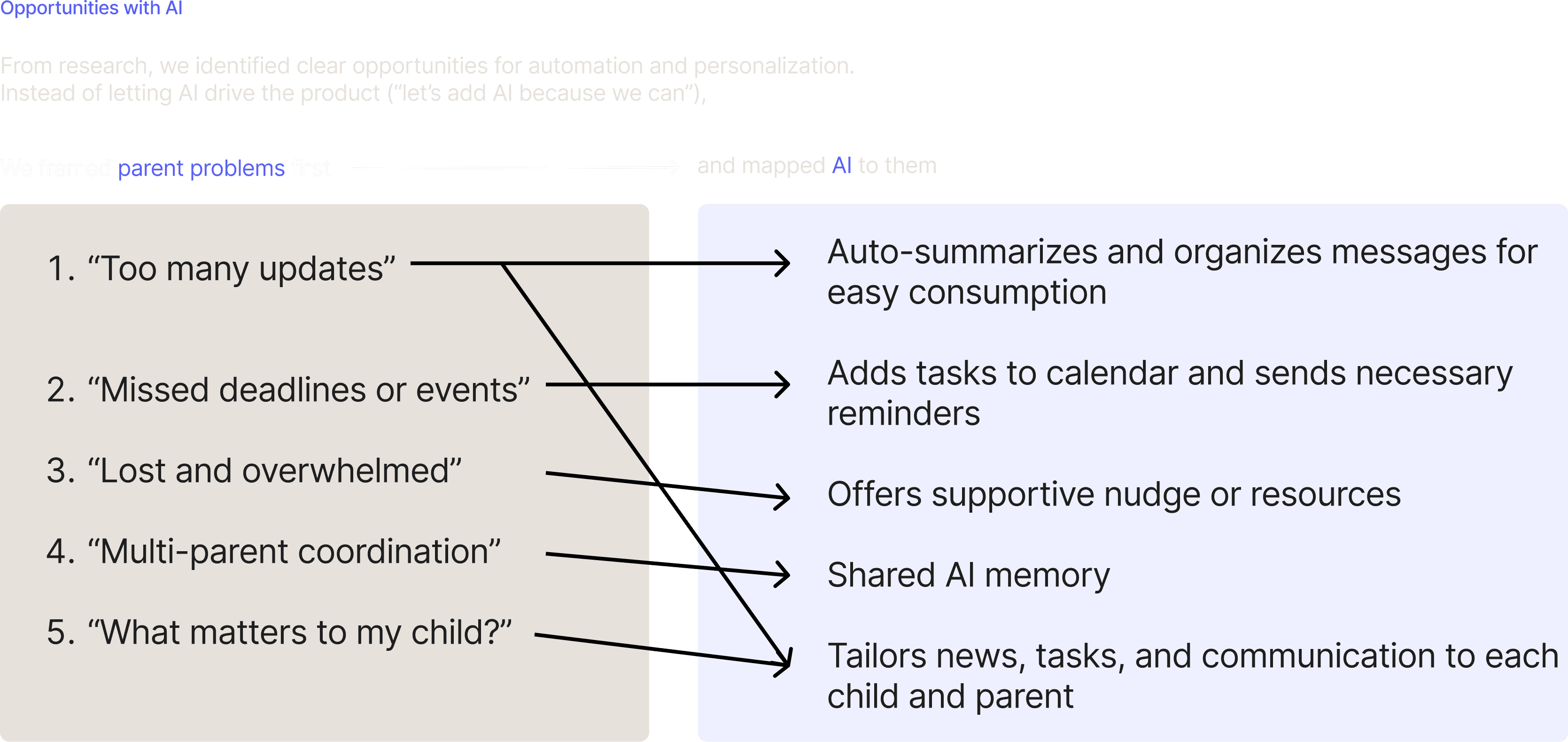
Opportunities with AI
Defining the Experience
01
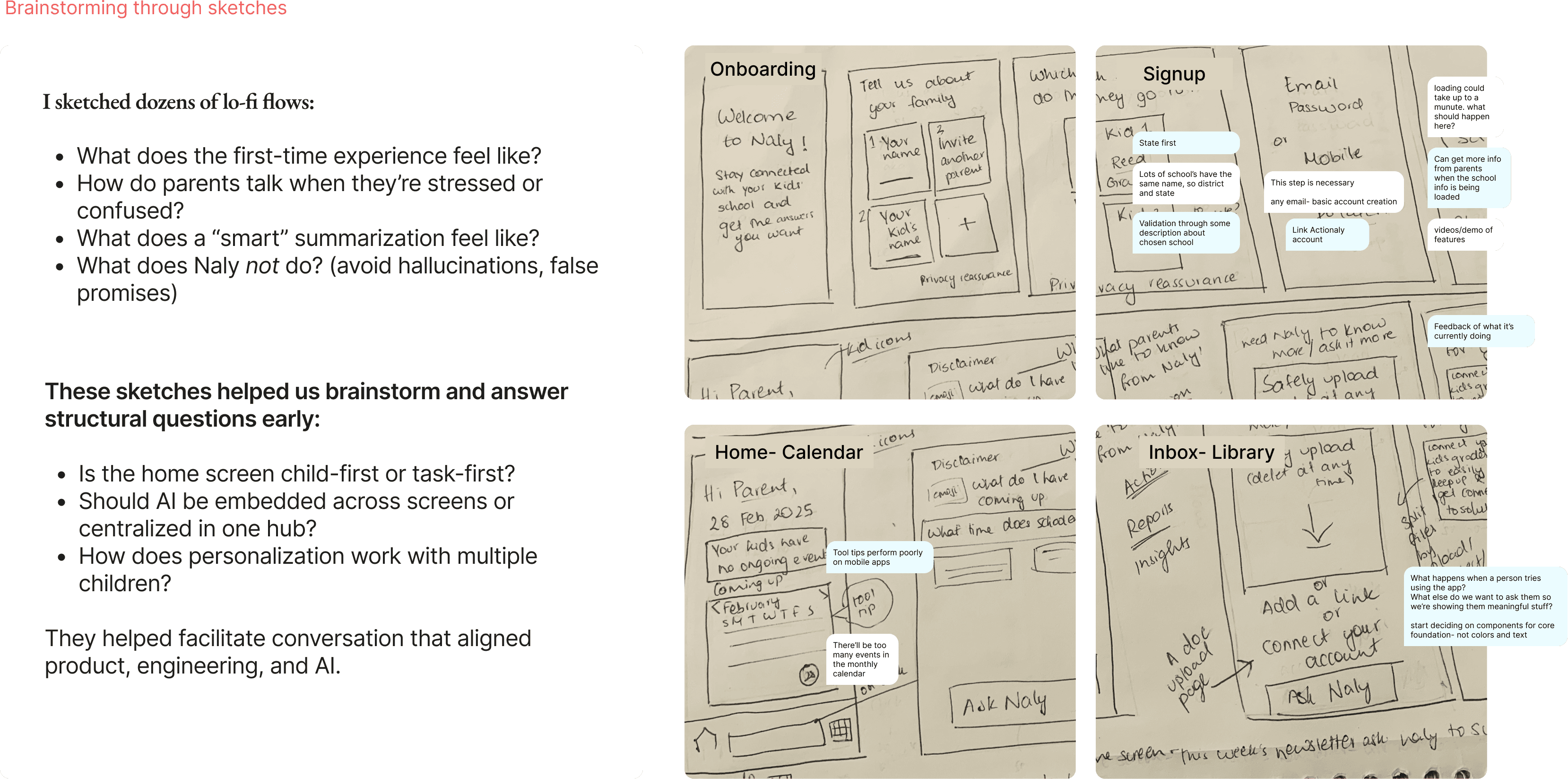
Brainstorming through sketches
02
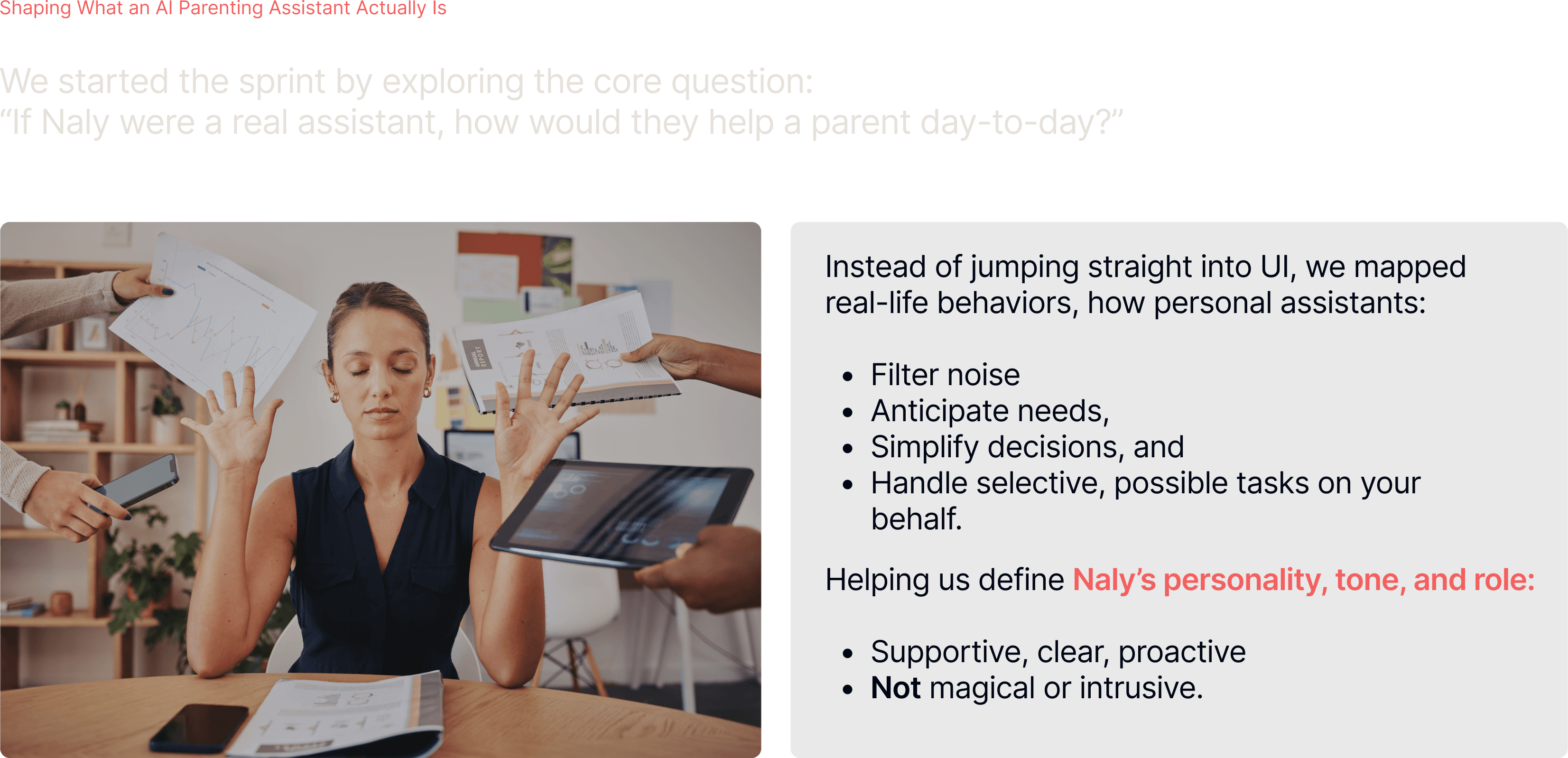
Understanding AI’s role
03
Design Iterations
Final Design
01
Brainstorming through sketches
02
Understanding AI’s role
03
Design Iteration 1
Week 5
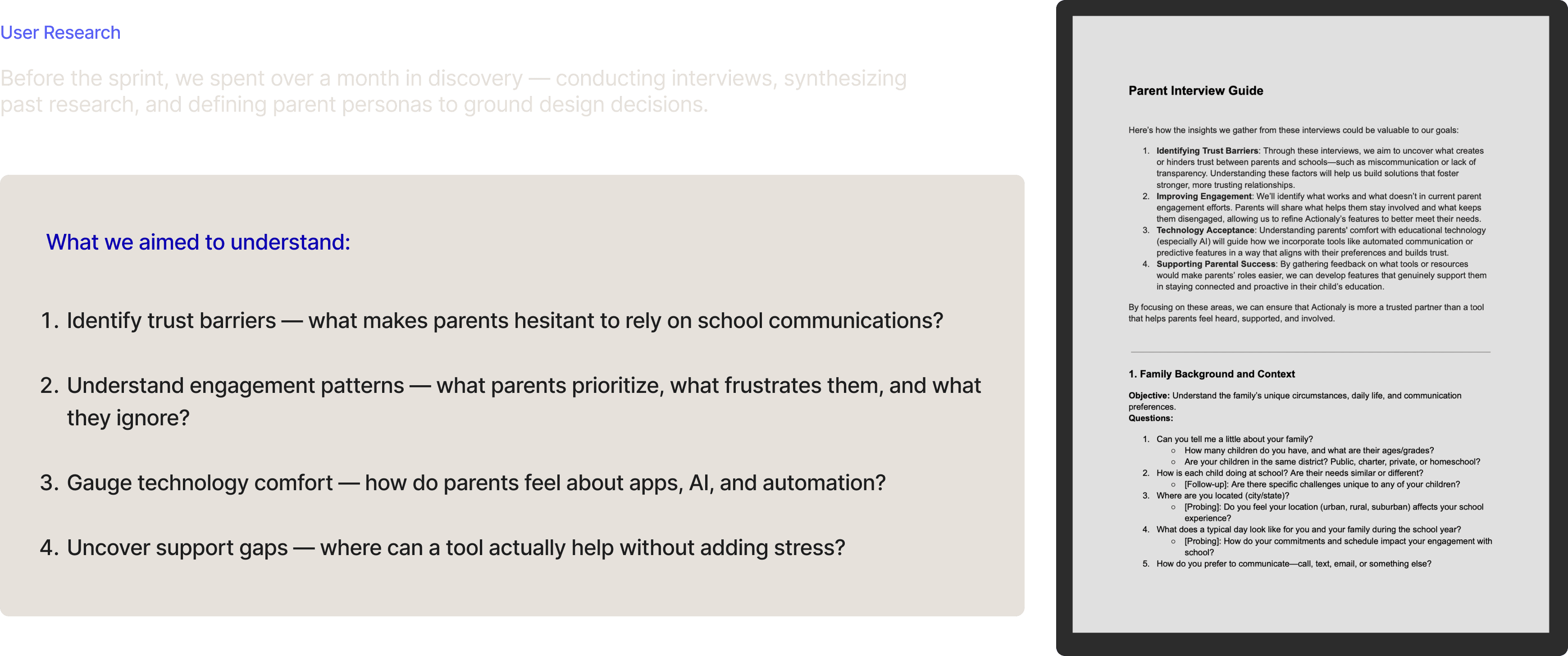
I developed a detailed Parent Interview Guide to structure our sessions, covering family context, engagement patterns, tech use, and openness to AI.
NEXT STEPS
Test and Validate: Understand if user actions followed expectations
There were a lot of assumptions based on what we heard from parent experiences and needs that helped us design the experience of Naly to meet their needs and daily life. Further testing and research would confirm these assumptions before the app went into market.
Bringing the ecosystem into the only app you need
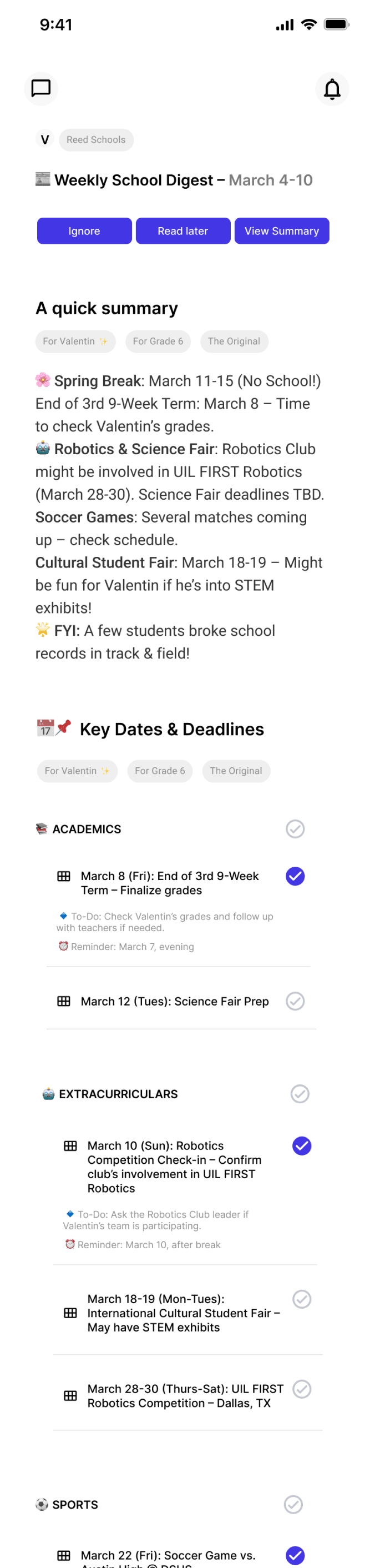
At this phase, Actionaly was the only integration implemented to show the possibility of all content coming in from different school apps find it’s place in Naly to assist parents as they need instead of forced fed content from a hundred different sources
Collaboratively, finding
direction
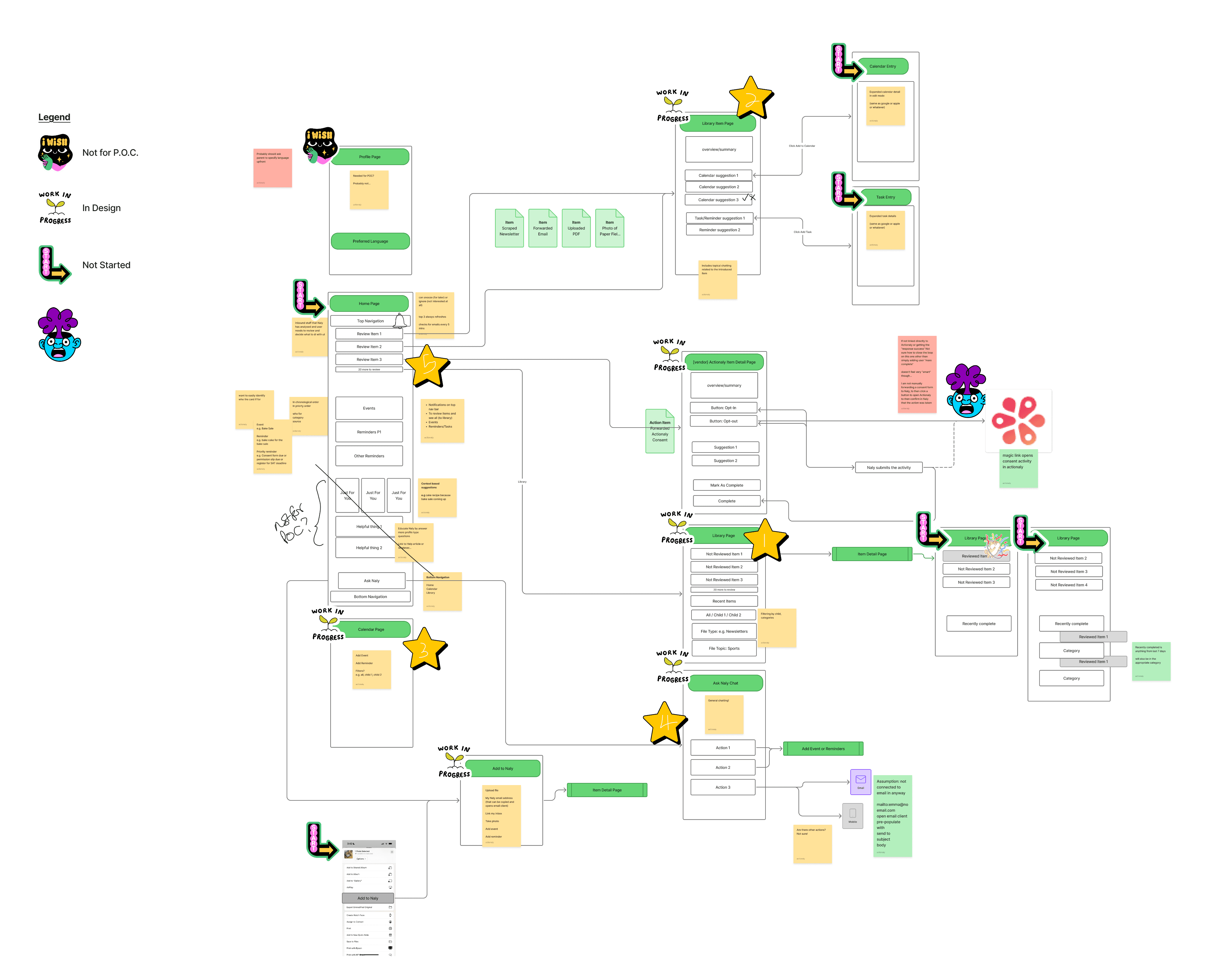
APP ARCHITECTURE
Keeping our personas and their stories in mind we repeatedly mapped out flows. This helped us see which parts kept showing up, hence higher on our user priority list and mapped these to what was possible in our limited time frame and resources.
New features, new look but familiar, brand image
APP ARCHITECTURE
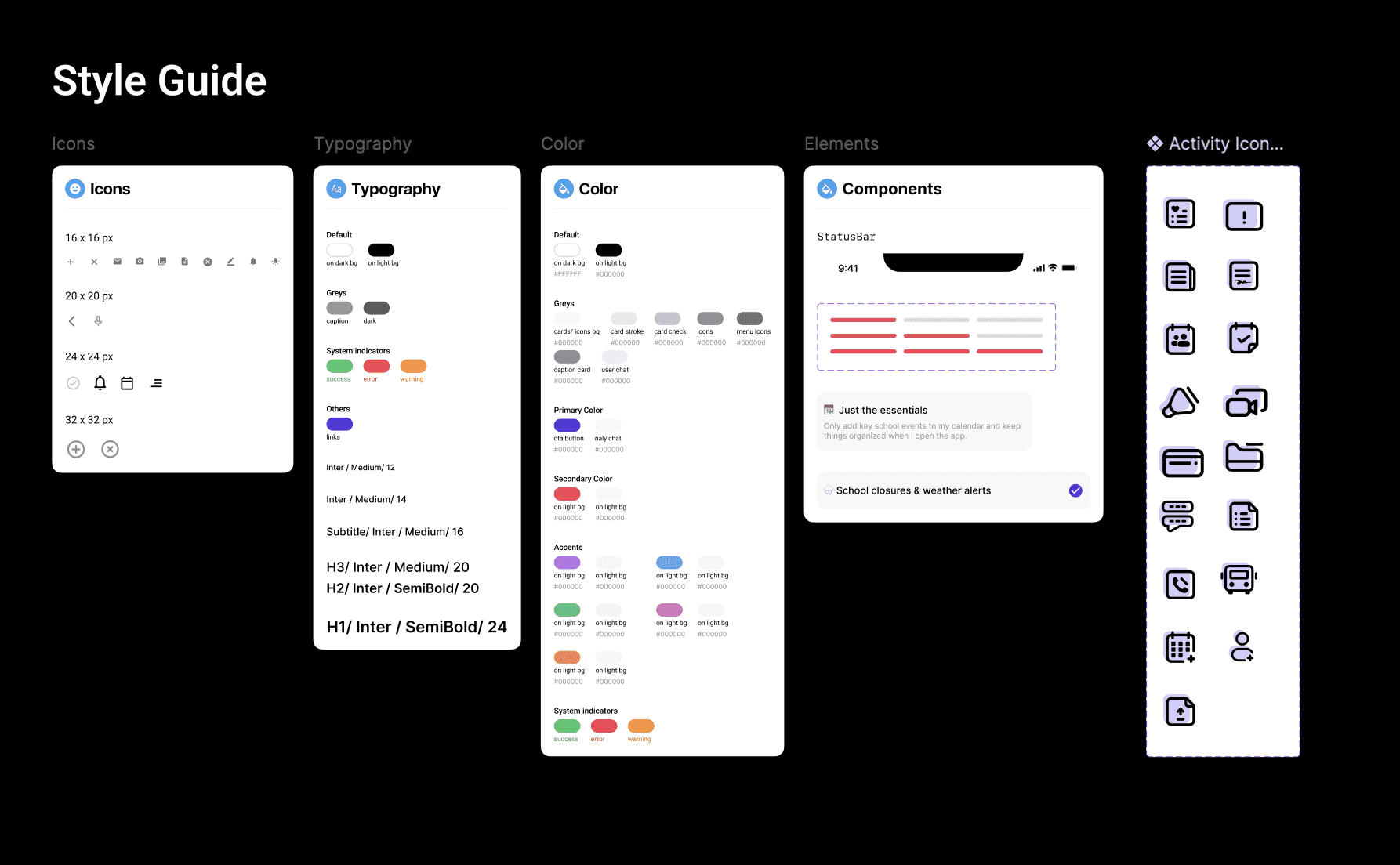
I kept the style guide and design system for the app minimal at this stage to keep Actionaly’s parent approachable look and feel, de-emphasizing an overly hi-tech look to prevent hesitation in using emerging technologies and rather create a sense of ease and comfort. The red helped create a quick-stop, one click feel to the app amidst the primary shade of blue.
Trial and error to the right prompts
Wireframes and Iterations
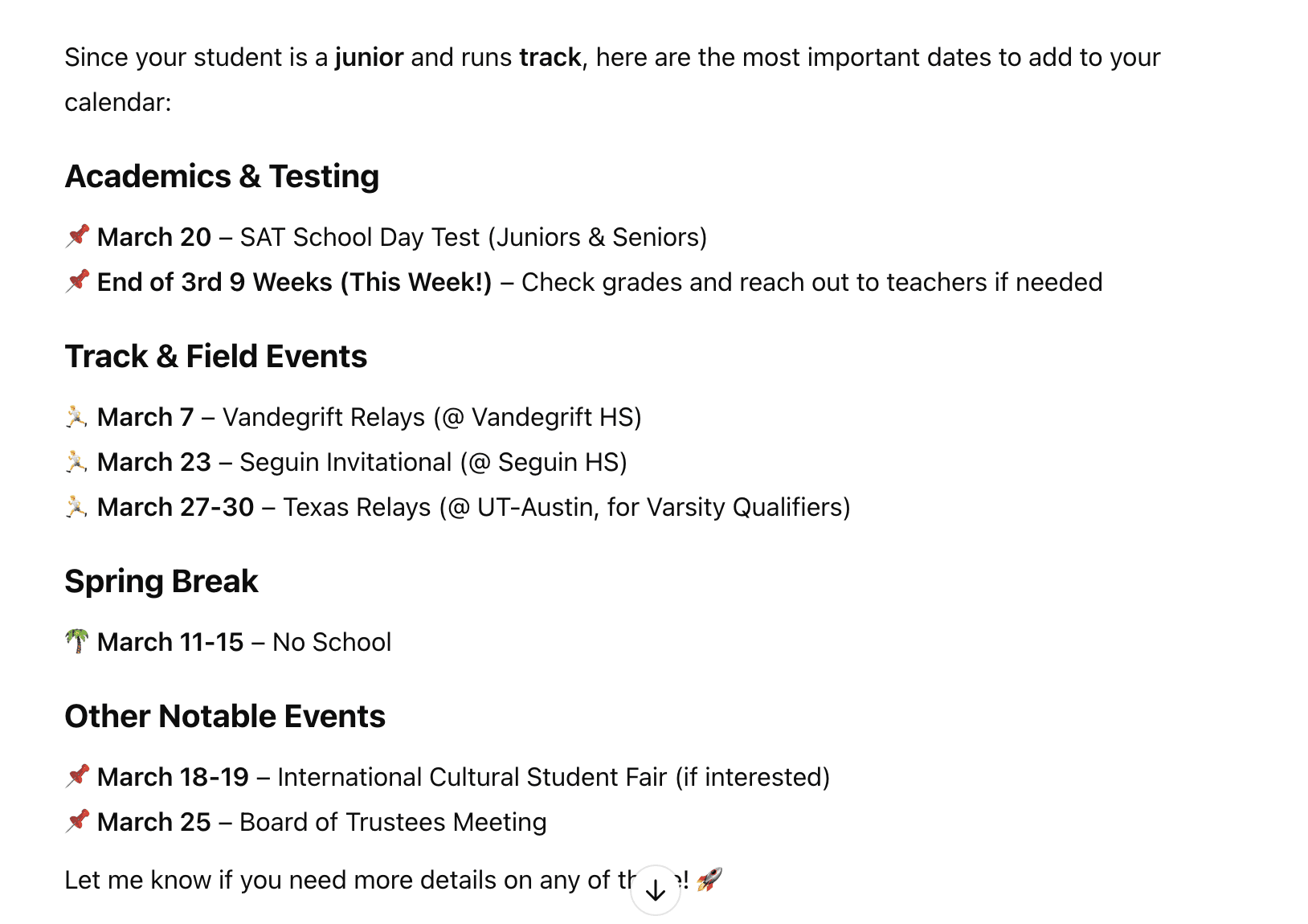
I did and deep dive into how users ask for help when they need, what they want to know from all the content that flows into them, but more importantly for our case, what was possible through our AI model. I collaborated with the developers to show how parents might interact as I tested with the AI models, assisting them in engineering the right prompts for the information being sourced on the app screens as this is what differentiated Naly.
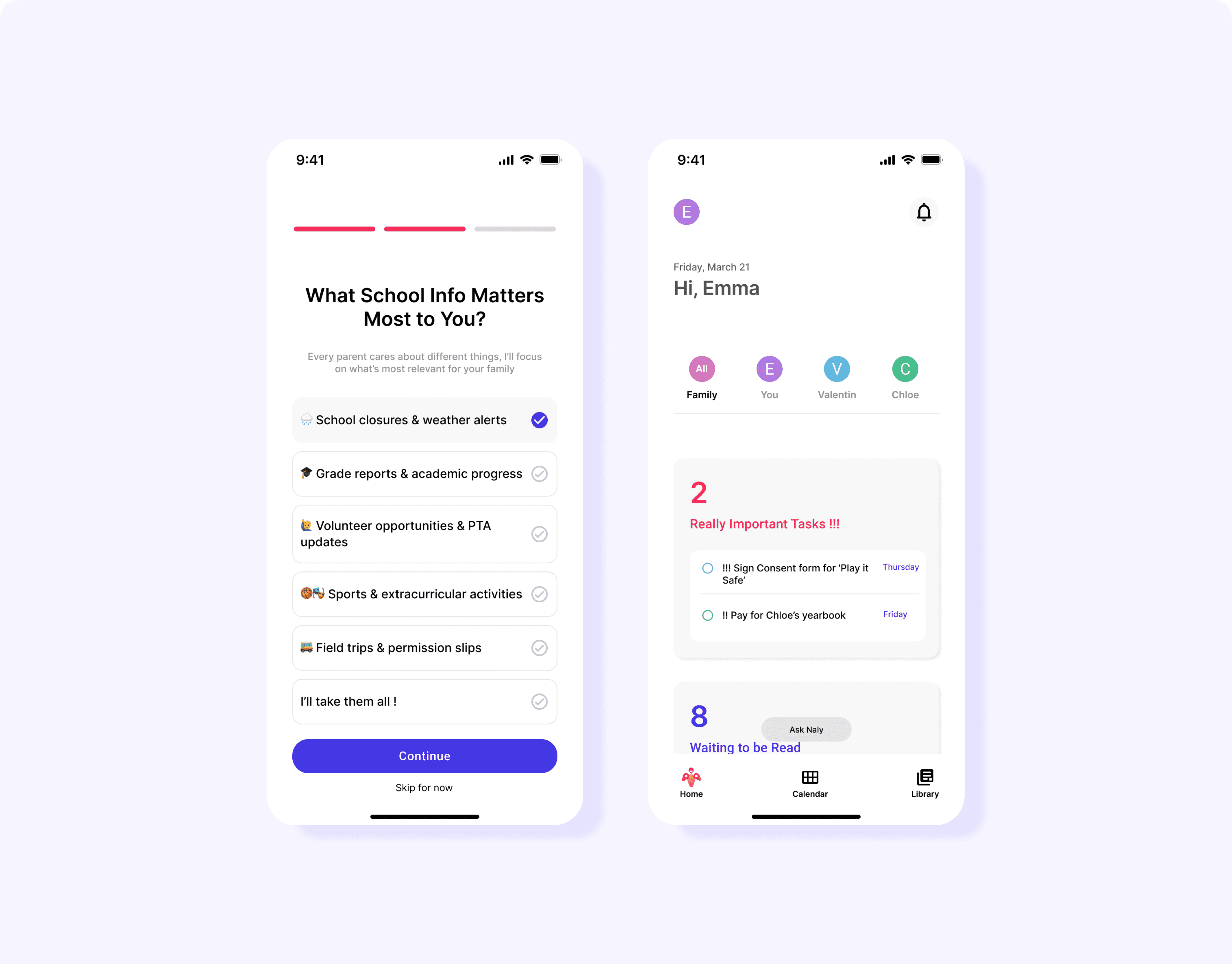
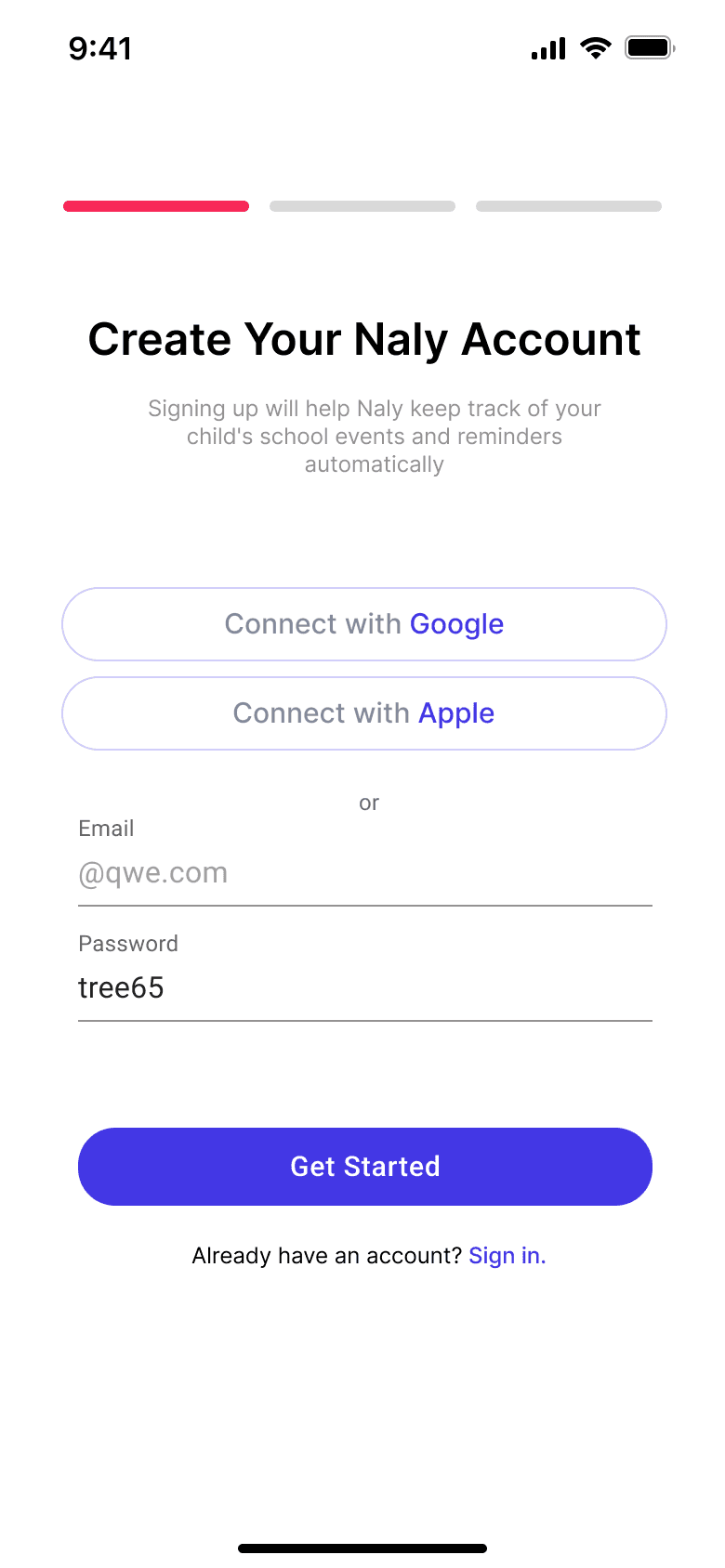
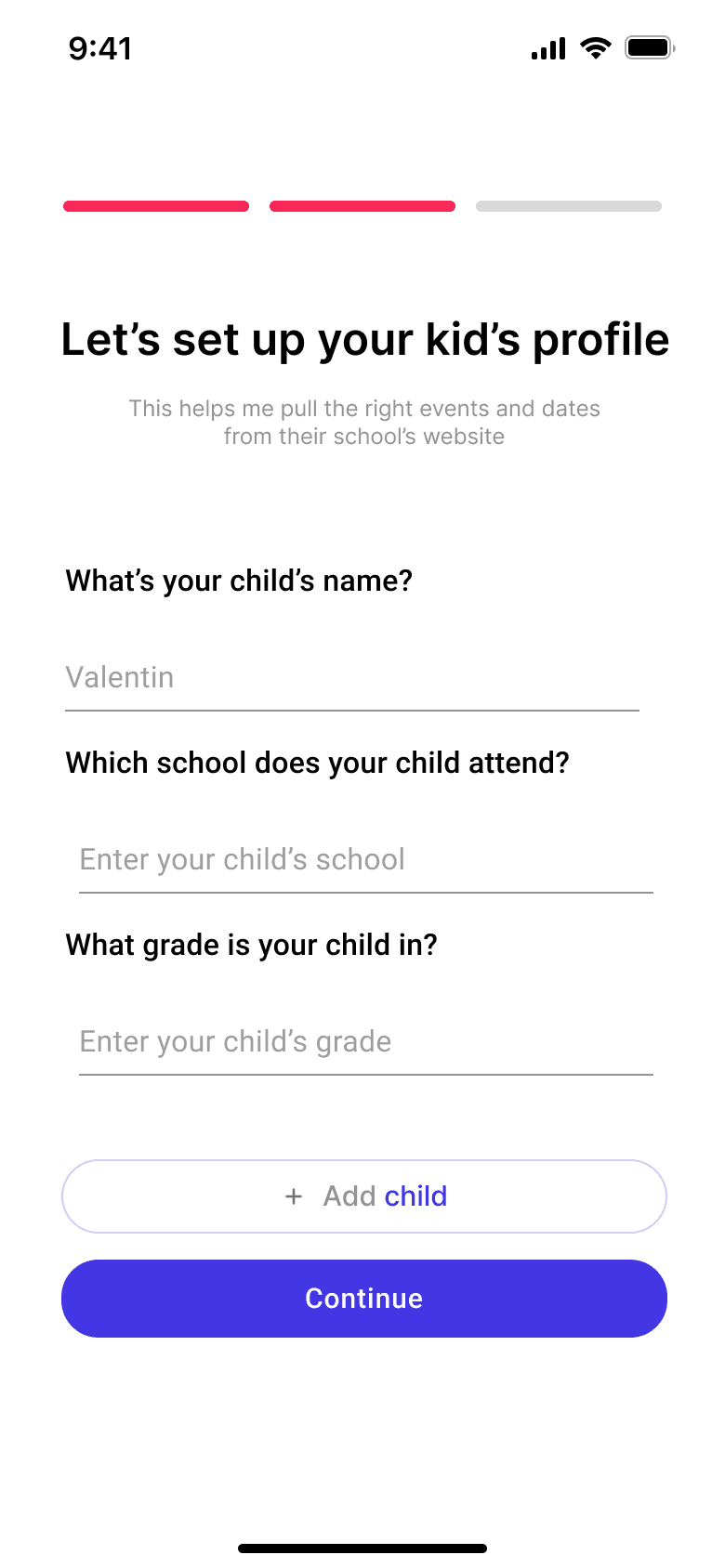
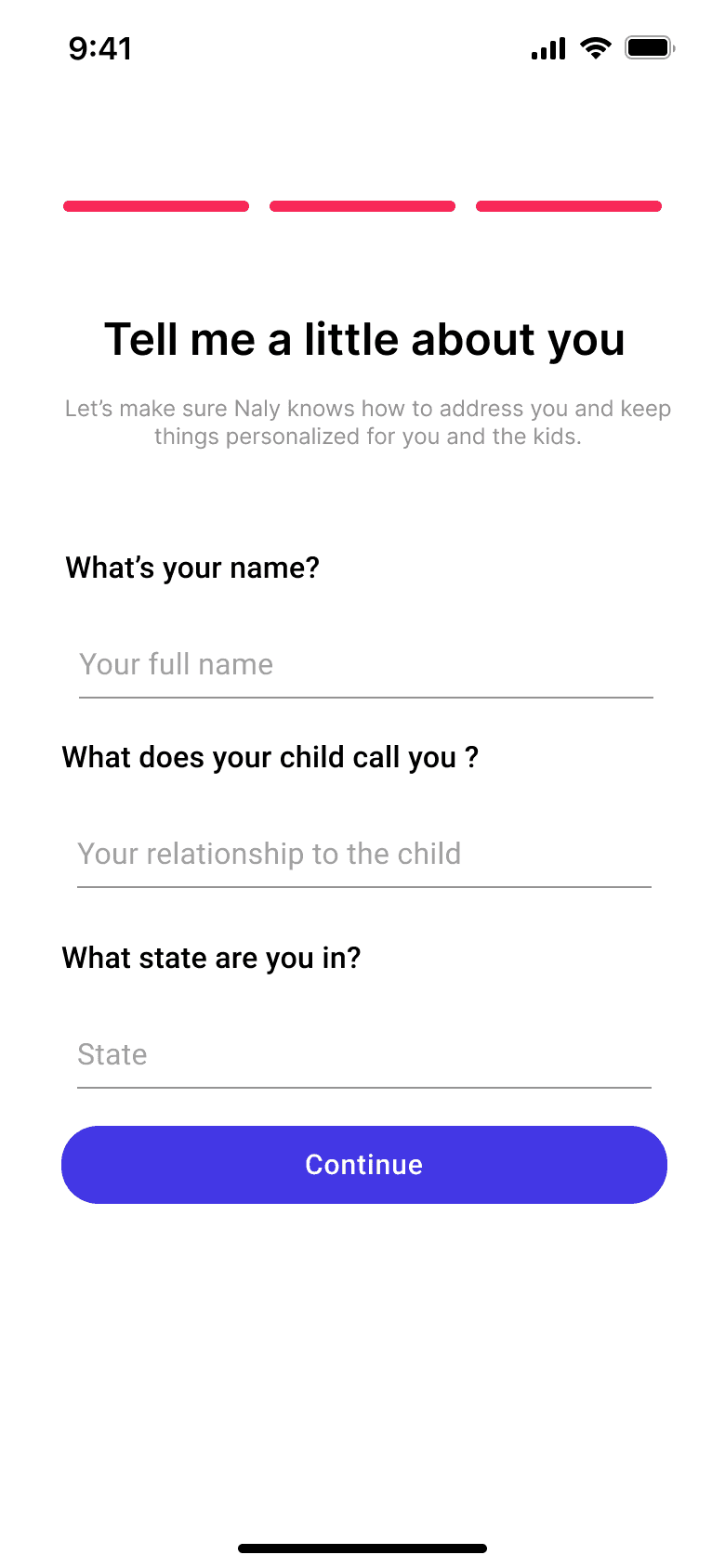
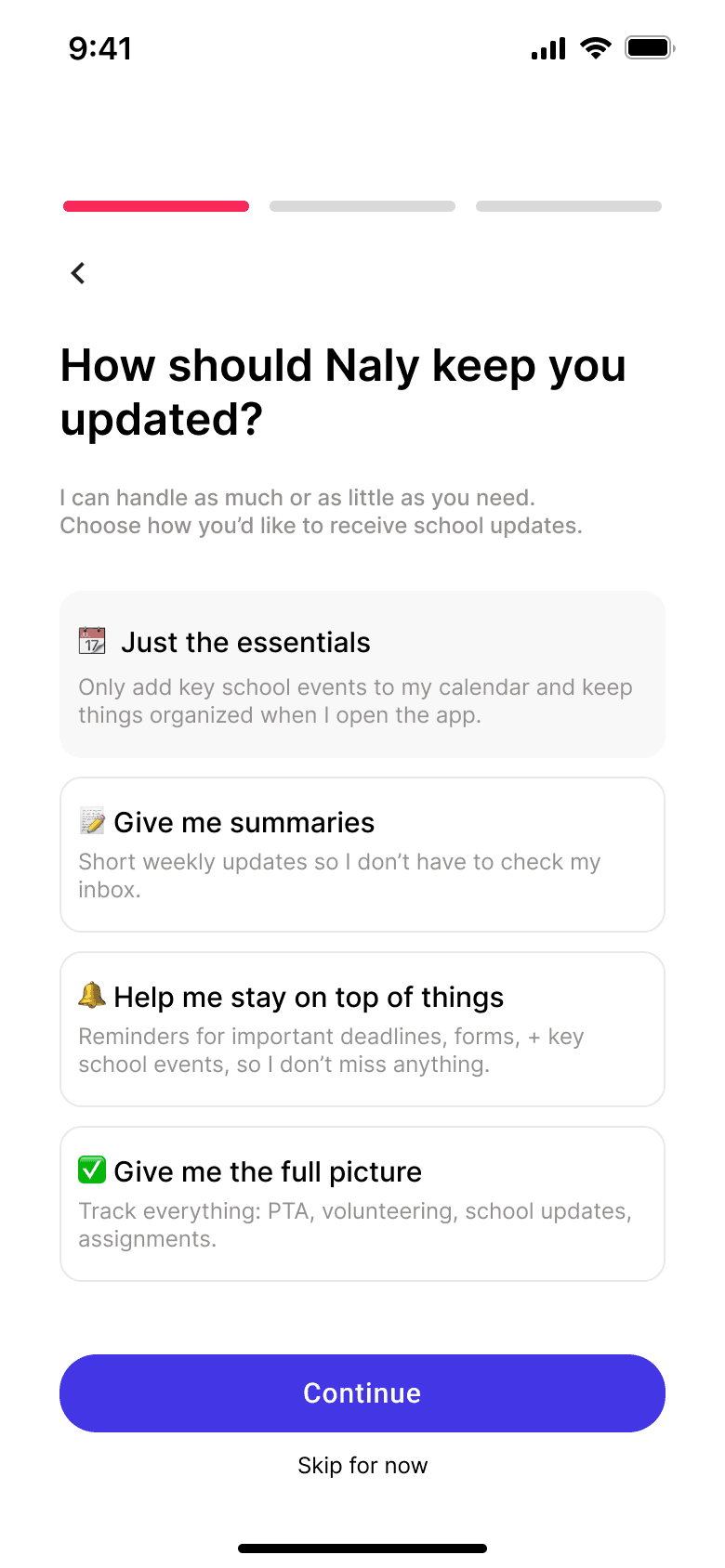
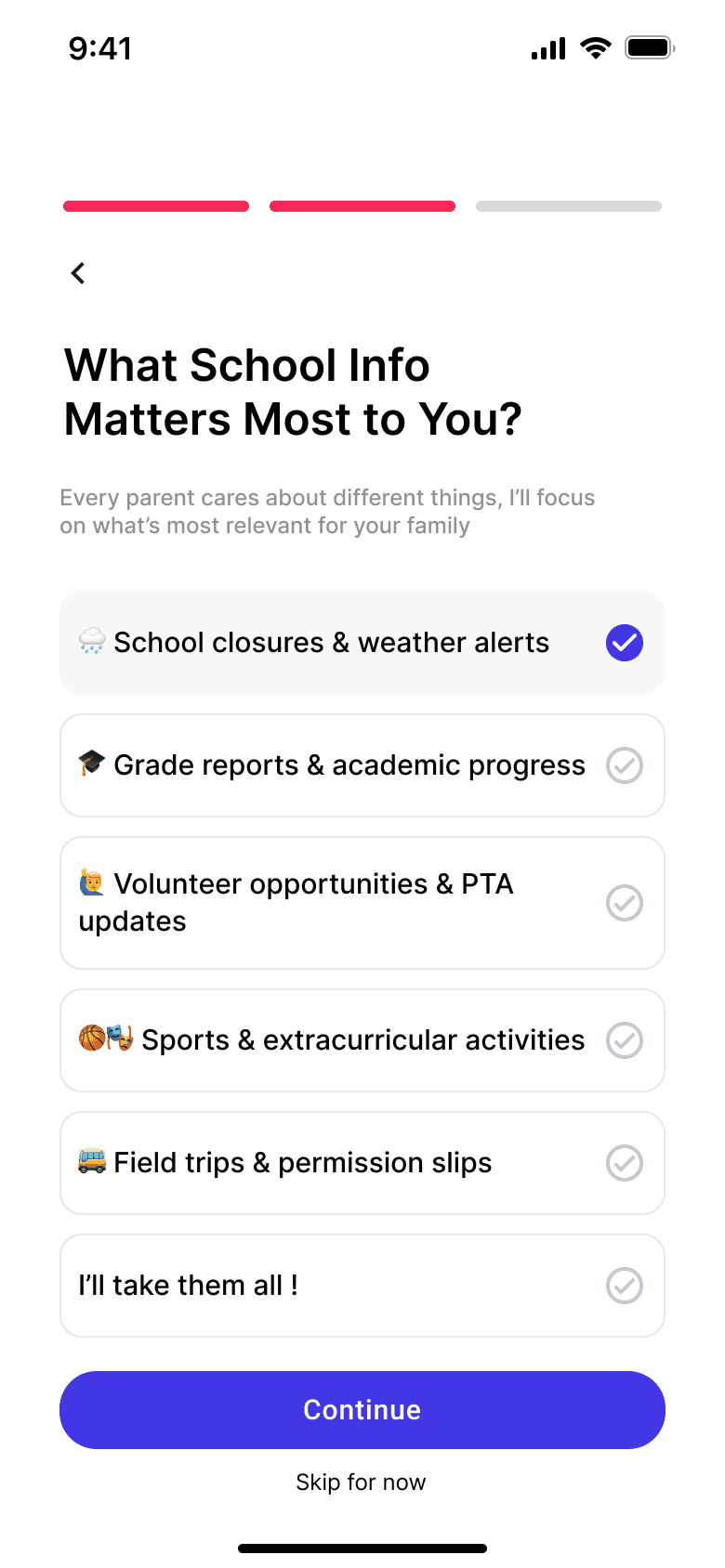
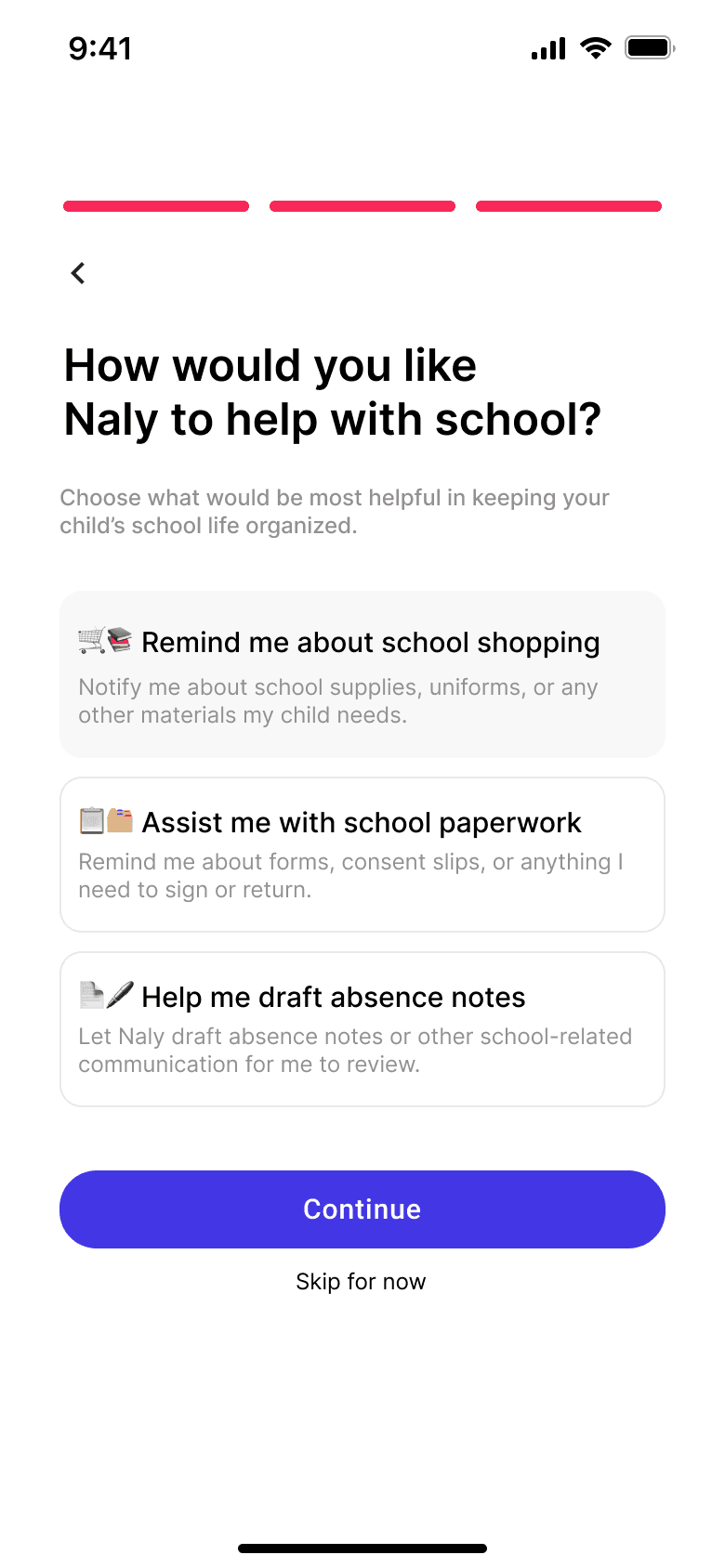
3 step account creation: just enough information and to source kid specific open content for the parents
Final Design
3 step onboarding: just enough information to present relevant content to the user (and a little extra time to source it all)
Final Design
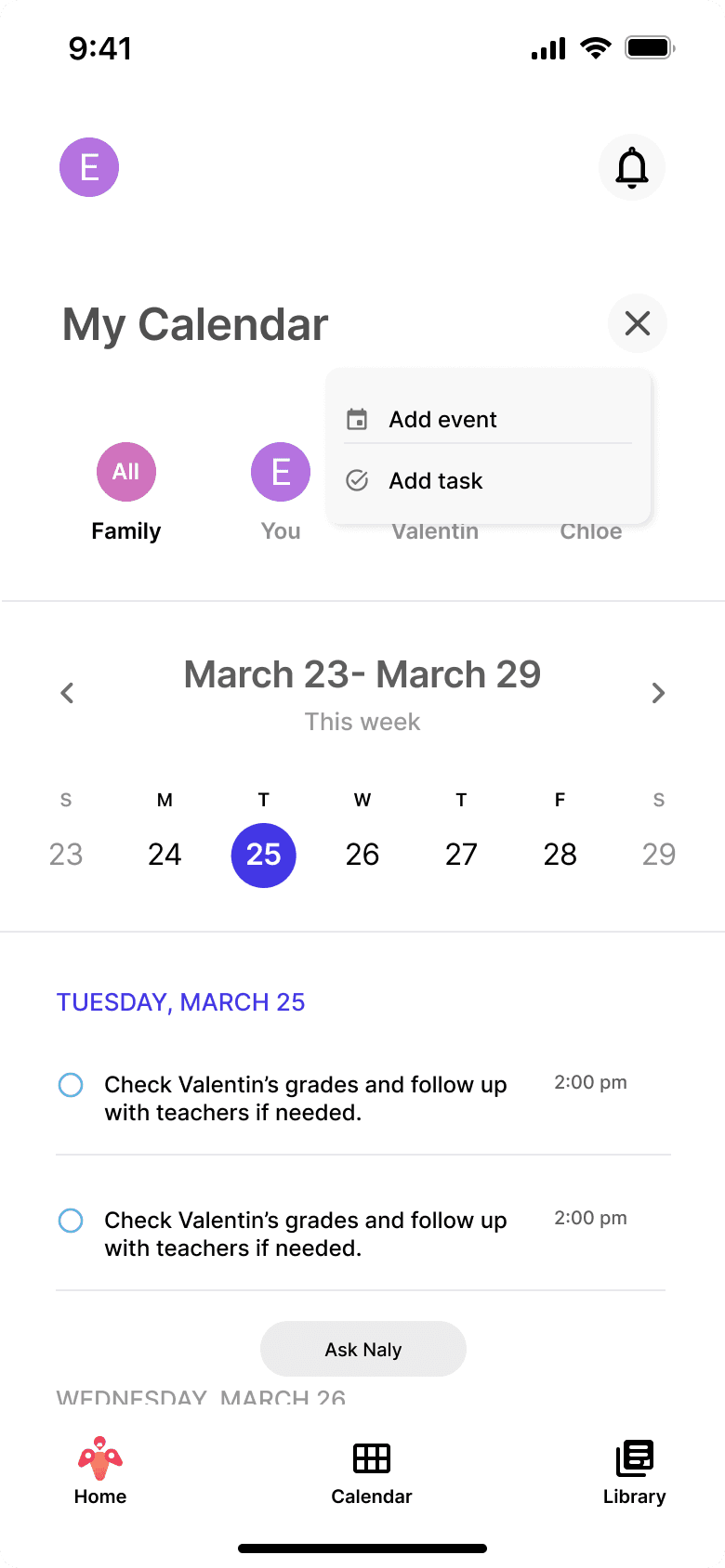
Calendar: The parent’s sanity, the parent’s bible, to do, to know, All in one place.
Easy to check, Easy to act on
Final Design
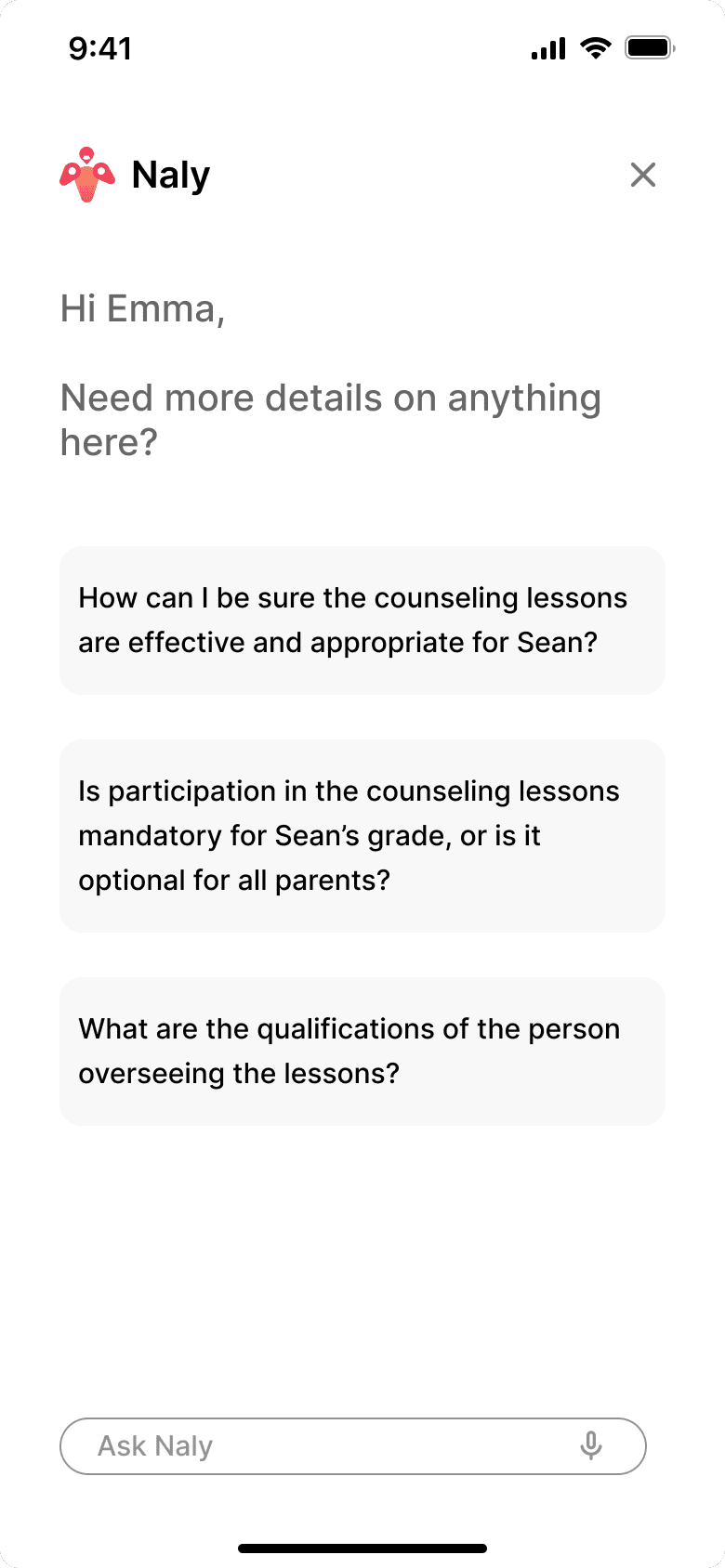
For all the nitty gritty questions the parents might have that only exists in the little texts in the corner of the school website:
Ask Naly
Final Design
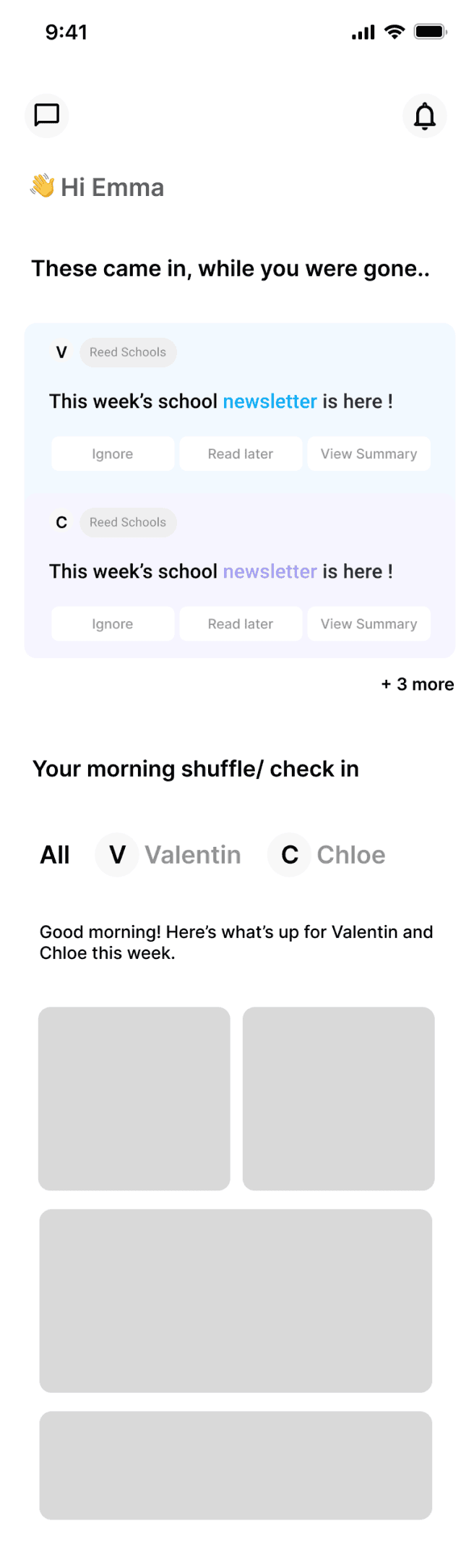
A bento box home screen: All the parents need, at a glance, a short scroll.
Nothing more, nothing less
Final Design

Really Important Tasks
These are tasks that have been identified by Naly as priority from items, doesn’t have to be due today (ex: a consent form due 2 days later is more priority to the parent than a lunchbox today). so the deadline shows day not time.
!!!- priority markers
on clicking it leads them to detail page
only top 3 tasks shown at a time
A numerical value from 1 - 10 with 1 being the highest of how high of a priority this document is based on the context and potential consequences of not reviewing (eg. a consent form for a field trip is more important than general school events)
Waiting to be read
only 2 cards shown on homescreen
These are items that haven’t been reviewed, but have time sensitive tasks, so Naly nudges the parents to review it
Today’s overview:
The tasks and events on the calendar for today
only 2 tasks and 2 events shown on the homescreen
For you:
Relevant, helpful articles for the parents to browse through